
If your HVAC system still runs on fixed schedules, you’re likely wasting energy and missing early signs of equipment trouble. I’d sum it up this way: wireless sensors and IoT tools let HVAC systems react to what’s happening in the building right now, not hours later after comfort drops or a unit starts failing.
Here’s the short version:
- Smart HVAC setups can cut energy use by 18% to 35% (calculate your potential with a smart thermostat savings planner)
- Downtime can drop by 40% to 60%
- Wireless sensors can lower install cost by up to 70%
- Occupancy-based setbacks can trim HVAC use by 20% to 30% in empty areas
- CO2-based ventilation control can reduce ventilation energy by 25% to 35%
- Vibration sensors can flag motor and compressor issues 4 to 8 weeks before failure
What matters most is simple: I need the right sensors, a wireless network that fits the building, and a clear path from sensor data to control actions. That usually means tracking room temperature, humidity, CO2, occupancy, pressure, vibration, and power use, then sending that data through Zigbee, Z-Wave, LoRaWAN, Wi-Fi, BLE, or LTE depending on range, battery life, and the building layout.
If I’m working with an older Chicago-area building, wireless matters even more. It avoids opening walls, cuts labor, and makes retrofit work much easier in places where new wiring can turn into a long and expensive job.
A fast breakdown of what this article covers:
- How IoT turns HVAC from schedule-based control into live control
- Which wireless sensors do the most work
- When protocols like Zigbee, LoRaWAN, or LTE-M make sense
- How data moves from sensor to gateway to dashboard to equipment
- What live monitoring can show about comfort, faults, filters, motors, and airflow
- What to plan for during placement, commissioning, battery checks, and recalibration
| Topic | Main point |
|---|---|
| Sensors | Temperature, humidity, CO2, VOC, PM, occupancy, vibration, pressure, and power sensors show comfort and equipment health |
| Wireless options | Zigbee/Z-Wave fit many retrofits; LoRaWAN fits long-range and tough spaces; LTE-M fits remote units |
| Main uses | Comfort control, demand-controlled ventilation, fault detection, and maintenance plans |
| Retrofit value | Less wall work, less disruption, lower install cost |
| Best results | Good placement, clean commissioning, battery tracking, and routine calibration |
So if I had to put the whole article into one plain answer, it would be this: IoT HVAC works best when wireless sensors are placed with care, tied into controls, and used to catch comfort issues and equipment faults early.
IoT in HVAC: Lessons from Rheem, Mitsubishi Electric Trane & Comfort Systems USA
These industry leaders demonstrate how advanced technology integrates with professional HVAC services to optimize building performance.
sbb-itb-b5c10b1
The Main Wireless Sensors and Networks Used in HVAC
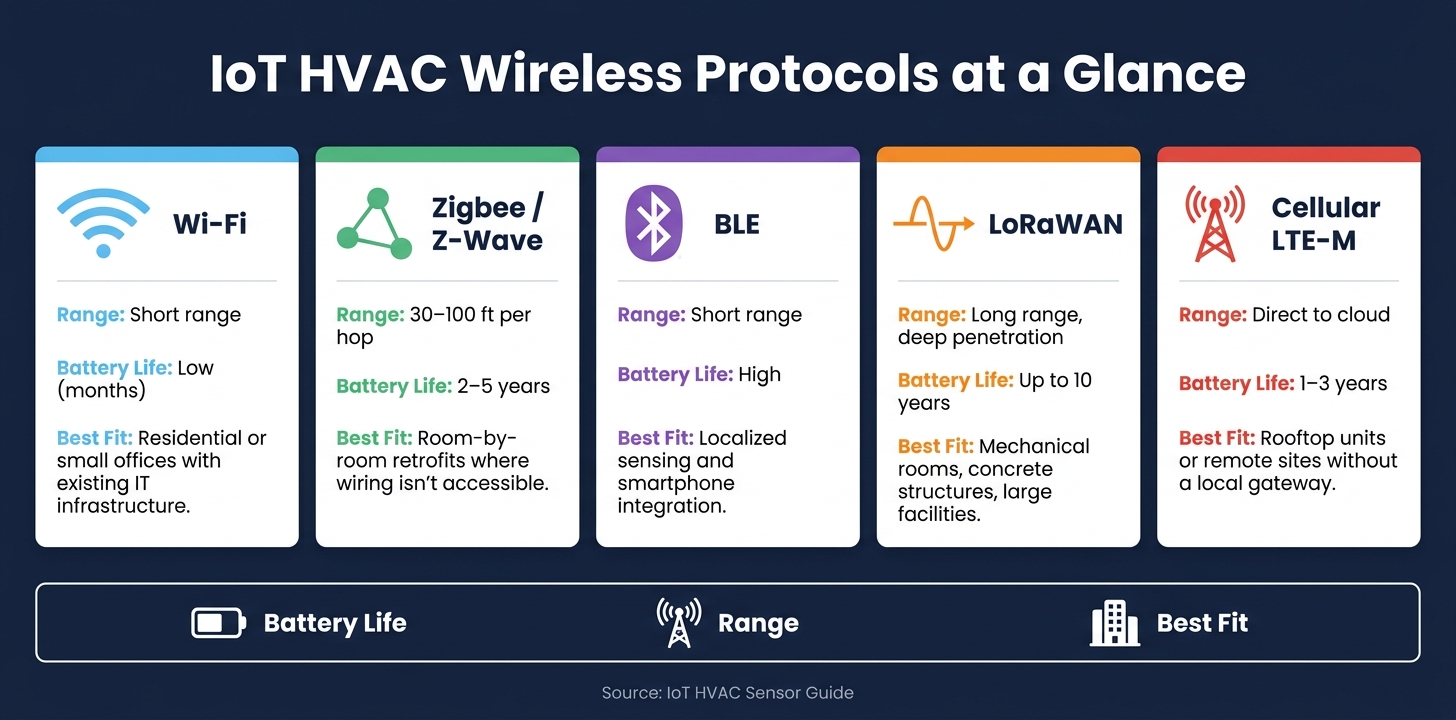
IoT HVAC Wireless Protocols Compared: Range, Battery Life & Best Use Cases
Once the control layer is in place, the next step is choosing the sensors that feed it.
Indoor Air Quality and Environmental Sensors
Temperature and humidity sensors are the backbone of HVAC monitoring. They track room conditions, duct air, and coil surfaces, which is why they show up in roughly 80% of diagnostic algorithms. For smart thermostat zone-level comfort control, a common rule is one temperature sensor for every 200–500 square feet. That gives you readings you can trust instead of guessing based on one sensor for a whole floor.
CO2 sensors help with demand-controlled ventilation, or DCV. In plain English, they help the system bring in outside air based on how many people are actually in the space. That can cut ventilation energy use by 25–35%. And in city buildings, VOC and particulate matter (PM) sensors add another layer of visibility by flagging pollution spikes that temperature sensors won’t catch.
Occupancy and Equipment Performance Sensors
Occupancy sensors help HVAC systems stop wasting energy in empty areas. Whether they use PIR, ultrasonic detection, or Wi-Fi-based counters, the goal is the same: reduce heating and cooling when no one’s there. That setback control can save 20–30% of energy in unoccupied spaces. In offices and multi-room commercial buildings, those savings can stack up fast.
On the equipment side, a few sensor types do most of the work:
- Vibration sensors on compressors and fan motors can spot bearing wear or imbalance 4–8 weeks before failure.
- Pressure sensors track filter differential pressure to find clogs, while refrigerant transducers can point to leaks or charge loss.
- Current and power sensors measure motor amp draw to catch mechanical wear and electrical faults. They also tend to produce the fastest payback because they tie closely to energy use.
Wireless Protocols and Battery Life Considerations
Choosing the wireless protocol matters just as much as choosing the sensor. Range, battery life, and building layout all shape what will work best.
| Protocol | Range | Battery Life | Best Fit |
|---|---|---|---|
| Wi-Fi | Short range | Low (months) | Residential or small office buildings with existing IT infrastructure |
| Zigbee / Z-Wave | 30–100 ft per hop | 2–5 years | Room-by-room retrofits where wiring isn’t accessible |
| BLE | Short range | High | Localized sensing and smartphone integration |
| LoRaWAN | Long range, deep penetration | Up to 10 years | Mechanical rooms, concrete structures, and large facilities |
| Cellular (LTE-M) | Direct to cloud | 1–3 years | Rooftop units or remote sites without a local gateway |
For most residential and small commercial jobs, Zigbee or Z-Wave mesh networks are a solid place to start. They use little power and work well in retrofit projects where opening walls isn’t on the table. This makes them ideal for smart thermostat installation in older homes. For sensors inside metal cabinets or in far-off mechanical rooms, LoRaWAN often makes more sense because it handles long distances and passes through concrete and metal well.
Those communication choices shape how fast sensor data gets to controls and dashboards.
How Data Flows Through an IoT HVAC System
From Sensor Reading to Dashboard to Automated Control
Once the sensors and wireless network are set up, the next job is turning those readings into action. Data usually moves from edge devices to a gateway, then into analytics, dashboards, and control commands. That flow is what turns raw sensor output into actual HVAC decisions.
Take a wireless temperature sensor. It sends readings to a local gateway, which collects signals from multiple sensors and translates them so a BAS or cloud platform can use them – usually through MQTT, BACnet, or REST APIs. From there, the system can respond on its own by changing fan speeds, resetting temperature setpoints, or opening and closing dampers.
That matters because data on its own doesn’t do much. The value shows up when the system can react in near real time.
Local batching and edge processing also help keep traffic low and alerts fast, even if the internet drops out.
Adding Wireless Sensors to Existing HVAC Equipment
In retrofit projects, the aim is simple: add enough sensing to surface the main failure points without tearing into the building for new wiring. Wireless sensors can be mounted on rooftop units, chillers, boilers, and air handlers with straps or other mounts, so there’s no need for wall openings or new conduit. If a building already has a BAS, gateways can translate wireless sensor data into BACnet/IP or Modbus.
| Equipment | Core Sensors | Common Faults |
|---|---|---|
| Rooftop Unit (RTU) | 1 Temp (Supply) | Compressor cycling, filter loading |
| Air Handler | 2 Temp (SA, RA), 1 Pressure | Fan degradation, coil fouling |
| Chiller | 2 Temp (CHWS, CHWR), Amps | Refrigerant loss, bearing wear |
| Boiler | 2 Temp (Supply, Return) | Combustion efficiency, safety |
This kind of setup makes retrofits a lot less disruptive. Instead of rewiring half the site, teams can target the spots most likely to cause trouble.
Cybersecurity, Device Management, and System Reliability
Connected HVAC systems need basic security controls from the start. Use encrypted transport, device authentication, and network segmentation. Keep gateways buffered locally, monitor battery status and signal strength, and check sensor drift during routine maintenance.
With that pipeline locked down and stable, those readings can feed live views of comfort, faults, and energy use.
What IoT Sensor Data Tells You About Your HVAC System
Live Monitoring and Better Comfort Control
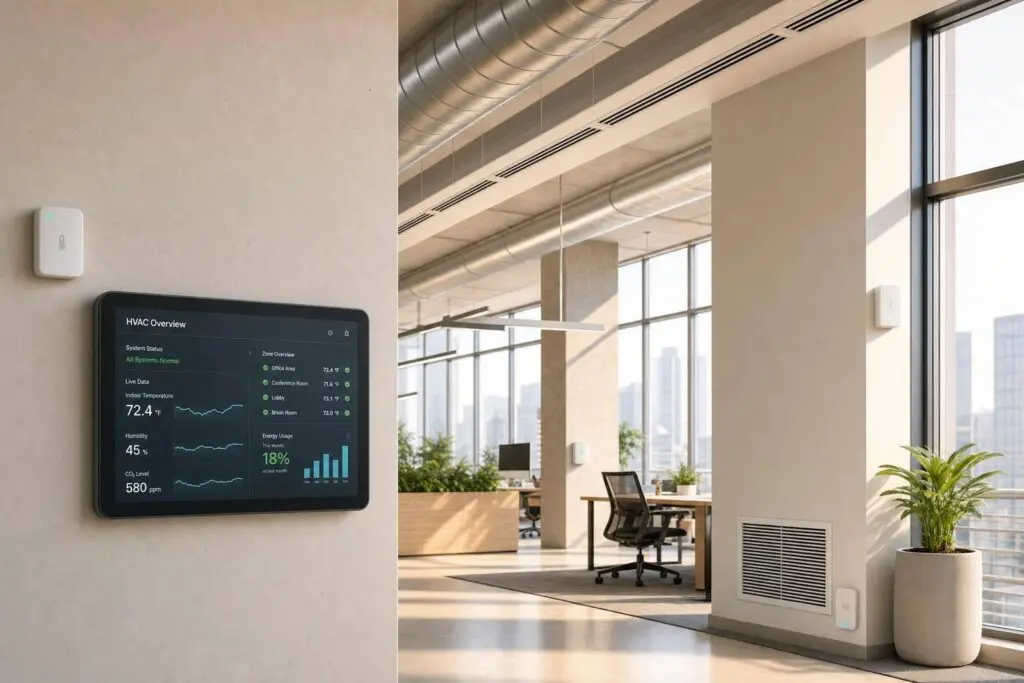
Once sensor data shows up on the dashboard, it stops being a pile of readings and starts telling a story about how the HVAC system is behaving right now. You can spot uneven airflow, hot spots, and humidity drift before anyone sends an email saying the room feels off. In occupied zones and air handling units, humidity sensors can also catch humidifier or dehumidifier failures early, which matters a lot in humidity-sensitive environments.
CO2 sensors add another useful layer. They work as a live stand-in for occupancy, so the system can adjust outside air based on how many people are actually in the space. That one shift can cut fan energy use by 25% to 35%.
Fault Detection, Predictive Maintenance, and Energy Savings
The same sensor stream can also point to mechanical trouble long before a breakdown. Trend data helps surface wear, clogged filters, leaks, and rising motor load while the issue is still small. Vibration sensors, for example, can detect bearing wear or imbalance weeks before equipment fails. If motor current starts looking unusual, that can signal falling motor efficiency before the unit shuts down. And when differential pressure starts to climb, that’s a direct sign of filter loading or airflow restriction – issues that can quietly drag system efficiency down by 5% to 15% before anyone notices weaker airflow.
Automated fault detection can catch these issues within 24 to 48 hours of when they start, instead of letting them sit for weeks or even months between standard inspections.
Live sensor data flags early warning signs before failure, reducing downtime and emergency repairs.
There’s also an energy angle here. Occupancy-based zoning, where sensors trigger setbacks in empty spaces, can cut heating and cooling energy use by 20% to 30% in variable-use areas. Those usage patterns also help shape where sensors should go, how they should be calibrated, and when they need service.
Manual Checks vs. Sensor-Based HVAC Monitoring
Manual inspections give you a single snapshot. Sensor-based HVAC monitoring gives you a live trend line across the whole building. Instead of finding problems after a comfort complaint comes in, you can see faults and comfort drift as they start to form.
Deployment, Local Use Cases, and Next Steps
Planning, Sensor Placement, and Ongoing Maintenance
Once sensor data starts helping, the next move is simple: put sensors in the right spots so the system can react with steady, dependable control. That starts with a site assessment. The goal is to find coverage gaps, then match the sensor type, placement, and wireless protocol to the way the building is laid out.
Wireless sensors can trim installation time and cost because they skip conduit runs and wall openings. In many cases, they cut both by up to 70% compared to wired options. That’s a big deal in older Chicago-area buildings and historic properties, where adding new cabling can turn into a mess fast – or cost more than the upgrade is worth.
Commissioning is what ties the whole setup together. Each sensor should be checked to make sure data is flowing, readings are accurate, and the device location is recorded. During commissioning, document each device’s location, readings, and calibration date so later battery swaps and recalibration don’t become guesswork.
How Eco Temp HVAC Supports Smart HVAC Upgrades

For Chicagoland buildings, this usually begins with a site assessment and carries through to long-term support. Eco Temp HVAC serves Chicagoland homes and businesses with site assessments, wireless sensor upgrades, smart thermostats, commissioning, and HVAC support across Chicago, Downers Grove, Bartlett, Lemont, Palatine, and St. Charles.
Key Takeaways for Connected HVAC Systems
IoT works best when sensors are placed well, commissioned the right way, and kept on a steady maintenance schedule. A site assessment shows where coverage is missing. Commissioning confirms that data moves from each sensor to the control system with accurate readings. A maintenance log keeps battery changes and recalibration on track.
In Chicagoland, that also means planning for big seasonal swings, humid summers, and harsh winters. Better data doesn’t come from adding sensors everywhere. It comes from deploying them with care.
FAQs
How do I choose the right wireless protocol for my building?
Choose the setup that fits your building’s layout and day-to-day demands: range, power use, bandwidth, and network design all matter.
- EnOcean: best for localized indoor sensing
- LoRaWAN: best for long-range campus communication and hard-to-penetrate spaces
- Zigbee and Thread: common for mesh building networks
To bring everything into one control layer, use gateways that pass sensor data into BACnet or Modbus.
Which sensors should I install first for the best ROI?
For the best ROI, start with current and power monitoring sensors. They tend to deliver the fastest energy savings because they help spot mechanical wear and electrical faults early.
If you want a lean setup, add temperature sensors on all air handling unit supply and return lines, pressure sensors across filter banks, and current sensors on all compressors. Payback is typically 2 to 6 months.
How often do wireless HVAC sensors need battery changes or recalibration?
Battery life depends on the communication protocol and the way the device is set up. In most cases, it falls somewhere between 2 and 10 years.
Here’s the usual range:
- BLE and LoRaWAN devices often last 5 to 10 years
- Zigbee devices usually last 2 to 5 years
For battery replacements, experts suggest watching battery voltage over time instead of waiting for devices to fail. It also helps to keep an asset registry with each device’s battery baseline and expected service life.
You can also cut down on recalibration by using IoT platforms that track sensor health and signal stability.