
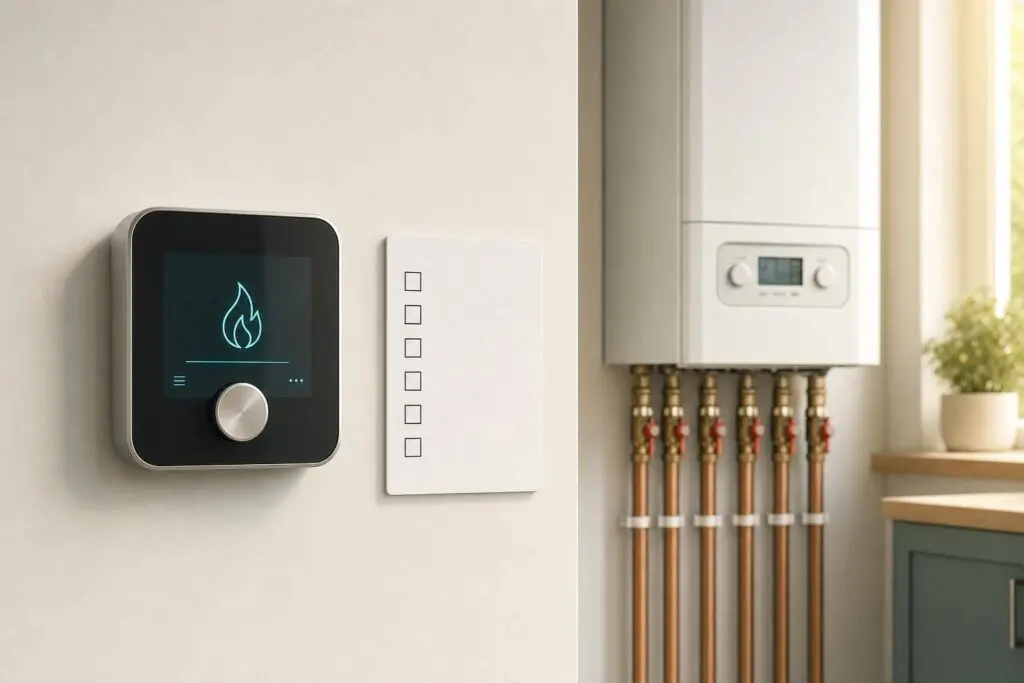
If your boiler will not start, I’d check the thermostat first. In many homes, the problem comes down to 6 simple checks: the screen, heat mode, batteries, boiler power, wire condition, and whether the boiler reacts to a call for heat.
Before I touch anything, I’d stop at once for gas smell, hissing, smoke, sparks, or a carbon monoxide alarm. After that, most thermostat checks take just a few minutes and can help me tell the difference between a thermostat issue and a boiler problem.
Here’s the short version:
- Check 1: Is the thermostat screen blank, dim, frozen, or showing an error?
- Check 2: Is it set to Heat, and is the setpoint 3°F to 5°F higher than room temperature?
- Check 3: Are the batteries weak, loose, or installed wrong?
- Check 4: Does the boiler have power, or is the breaker tripped?
- Check 5: Do the thermostat wires look loose, corroded, or damaged?
- Check 6: After a heat call, does the boiler do anything within 2 to 5 minutes?
A simple rule I’d use: if the thermostat is clearly calling for heat and the boiler stays silent, it’s time to stop and call a licensed boiler technician for repair.
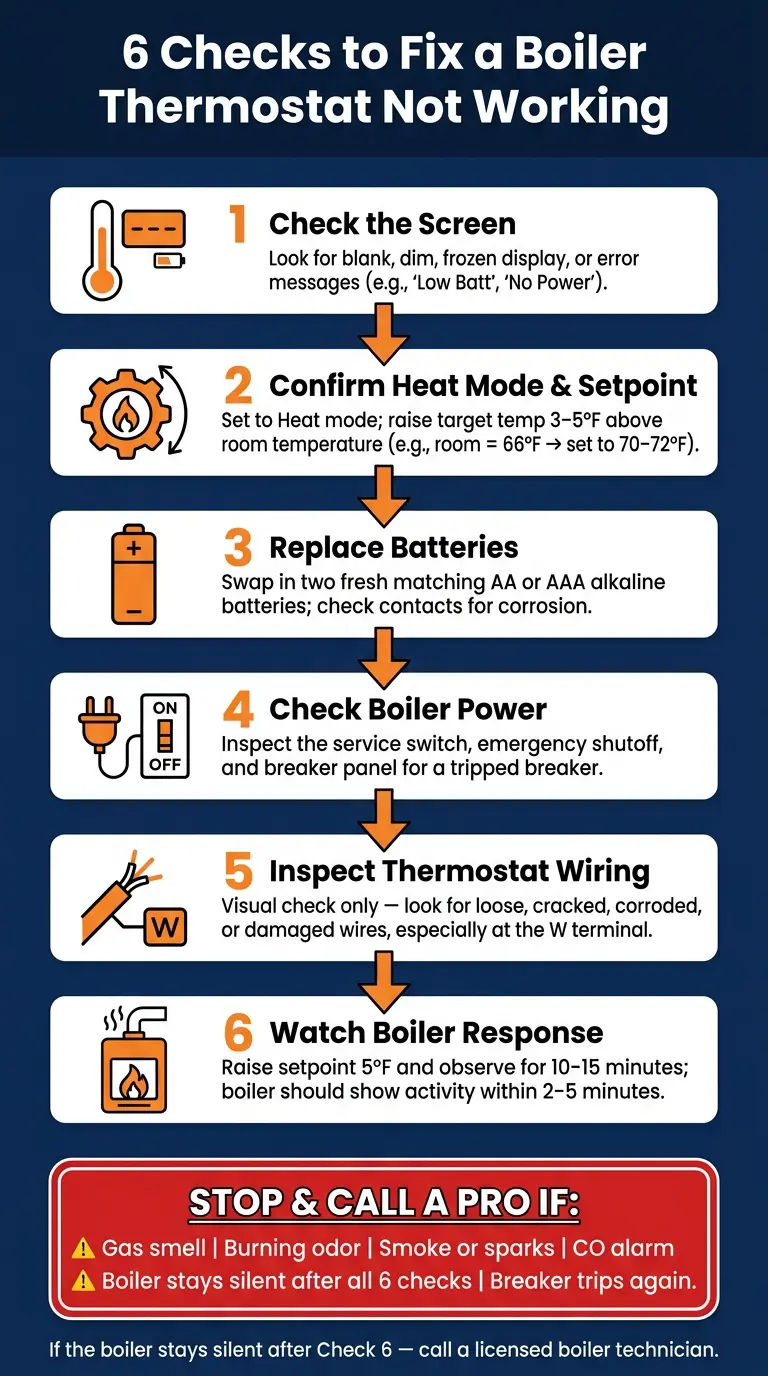
6 Checks to Fix a Boiler Thermostat Not Working
How to Fix a Boiler Not Responding to Its Thermostat
Quick Comparison
| Check | What I’m looking for | What it can point to |
|---|---|---|
| Screen | Blank, dim, frozen, error text | Lost power, low batteries, reset issue |
| Settings | Wrong mode, low setpoint, hold/away | Thermostat not calling for heat |
| Batteries | Weak or badly seated batteries | Screen works, but heat call fails |
| Boiler Power | Off switch or tripped breaker | Boiler has no electrical power |
| Wiring | Loose, cracked, corroded wires | Signal may not reach boiler |
| Boiler Response | No sound, no pump, no burner | Control issue or boiler fault |
In short, I’d use these checks to rule out the easy stuff first, then stop if there are any safety signs or if the boiler still does nothing.
Checks 1 and 2: Thermostat Display and Temperature Settings
Start with the screen and the setpoint. These two checks catch a lot of the common reasons a thermostat seems dead or doesn’t call for heat.
1. Check the Thermostat Screen
Look at the display first. It often tells you what’s wrong.
| What the screen shows | What it usually means |
|---|---|
| Blank | Dead batteries or lost thermostat power – not necessarily a failed thermostat |
| Dim | Batteries are low |
| Frozen, won’t respond to buttons | Temporary freeze; try removing power for 30–60 seconds to reset |
| Low Batt, No Power, or similar error | A built-in diagnostic pointing to a specific issue |
| Flashing time/date | A reset clock can throw off schedules |
If the display is blank, first check whether the home has power. Then go to Checks 3 and 4.
If the screen works but the boiler still won’t fire, move to the mode and setpoint check below.
2. Confirm Heat Mode and Target Temperature
If the screen is on, check what the thermostat is set to do. A working display doesn’t always mean it’s asking for heat.
Start with the mode. For boiler heat, the thermostat needs to be in Heat mode. Use Heat for this test. Auto may not call for heat if the room temperature is close to the setpoint.
Next, compare the current room temperature with the target temperature. The boiler will only start when the setpoint is higher than the room reading. Bump the target 3–5 °F above the current temperature. So if the room reads 66 °F, set it to 70–72 °F. Then watch for a heat-call sign, like a flame icon or Heating.
Also check for Hold, Away, or a setback schedule. A permanent hold stuck at 60 °F, an Away mode, or a setback schedule that hasn’t ended can keep the boiler off even if you change the temperature by hand. If you see one of those labels, cancel the hold or switch the thermostat back to its normal schedule, then test again.
If Heat mode is on, the target is above room temperature, and a heat icon appears, but the boiler still stays off, move to Checks 3 and 4.
Checks 3 and 4: Batteries and Boiler Circuit Power
If the display looked fine in Checks 1 and 2 but the boiler still isn’t responding, the next place to look is power. These two checks cover some of the most common reasons a thermostat won’t send a call for heat.
3. Replace or Reseat the Batteries
Weak batteries can light up the screen but still not trigger a call for heat.
Set the thermostat to Off before you remove the batteries. Take out both batteries at the same time, even if only one seems weak. Install two fresh, matching alkaline batteries – usually AA or AAA – and make sure they’re facing the right way. Don’t mix old and new batteries or use different brands. That can lead to uneven voltage.
While the battery compartment is open, check the contacts. If you only see dust, wipe it away with a dry cloth. If you notice white or greenish buildup, corrosion, or leakage, stop there and call a technician. After you put in the new batteries, press them in firmly so they stay in place, replace the cover, and switch the thermostat back to Heat mode. If the display clears, reset the time, date, or schedule.
If fresh batteries don’t change anything, move on to the boiler’s power.
4. Check That the Boiler Has Power
If new batteries don’t fix the issue, look at the boiler itself. Lost electrical power is one of the most common reasons a boiler stays off.
Check these spots:
- The boiler service switch
- Any emergency shutoff switch
- The breaker panel for a tripped breaker
A tripped breaker usually won’t sit squarely in the On position. It may look slightly off-center or sit midway between On and Off. If you find one, move it firmly to Off first, then back to On. Only reset it once. If it trips again right away, stop. Repeated tripping points to an electrical fault that needs a licensed technician.
If the boiler has power and still stays off, move to the wiring check below.
Checks 5 and 6: Wiring Condition and Boiler Response
If the batteries are fine and the boiler has power, the next step is the thermostat wiring.
5. Look for Loose or Damaged Thermostat Wires
Turn off power to the boiler first. Then remove the thermostat faceplate, which usually comes off with a gentle pull or by releasing a small clip.
Check the wires where they connect to the terminals. You’re only looking here, not touching. Watch for:
- Wires that are loose at screw terminals or partly slipped out of push-in terminals
- Kinked or sharply bent conductors
- Cracked or missing insulation
- Exposed copper strands
- Green or white corrosion on the wire or terminals
Give extra attention to the W terminal. If that connection is loose or broken, the boiler may never get the signal to start heating, even if the thermostat screen looks fine.
Don’t tighten, move, or reconnect anything. This is a visual check only. If you spot burned or melted insulation, exposed copper touching metal, or more than one loose wire, put the cover back on and call a technician.
If everything looks intact, move on to the heat-call test.
6. Turn Up the Temperature and Watch the Boiler
Restore power, switch the thermostat to Heat mode, and raise the setpoint 5°F above room temperature. Then watch the boiler for 10 to 15 minutes.
This test tells you whether the thermostat’s signal is getting to the boiler.
A boiler that’s working as it should will usually show some activity within 2 to 5 minutes. You may hear the circulator pump start, the inducer fan come on, or the burner ignite. Supply pipes and radiators should start to warm within 10 to 20 minutes.
| What You See | What It Likely Means |
|---|---|
| No sound, lights, or activity | Wiring, control signal, or boiler lockout issue – call a pro |
| Pump or fan starts, but burner never fires | Possible ignition, gas supply, or flame-sensing issue |
| Boiler runs, but some rooms stay cold | Zone valve, circulation, or air-in-system issue |
| Everything starts normally, heat reaches rooms | System is working; thermostat may not have been the problem |
Write down exactly what happens. Small details matter here.
Conclusion: When to Stop and Call a Chicagoland Boiler Pro
If the boiler stayed silent during Check 6, treat that as your stopping point. And if the boiler kicked back on after any of these checks, stop there. You likely ran into a simple thermostat issue.
If the boiler still doesn’t respond after Check 6, it’s time to stop troubleshooting and call a licensed boiler technician. At that point, the issue goes past a setting or basic control problem and needs proper diagnostics.
Stop right away and get urgent help if you notice any of the following:
- A gas smell
- A burning odor
- Smoke or sparking
- A carbon monoxide alarm going off
- Water leaking near the boiler or any electrical parts
If the breaker trips again, leave it off and call for service. If wiring looks damaged or you can’t inspect it safely, stop there too.
If you do book a service call, tell the technician the exact symptom you saw. For Chicagoland boiler repair and smart thermostat service, Eco Temp HVAC serves Chicago, Downers Grove, Bartlett, Lemont, Palatine, and St. Charles. Short notes like "screen blank", "breaker on," or "boiler silent" can help speed diagnosis.
If the house is cold, or anyone in the home depends on steady heat, don’t wait. Call sooner rather than later.
FAQs
Can a thermostat work but still not call for heat?
Yes. A thermostat can look like it’s working and still never call for heat.
That often happens when it’s set to Cool or Off, or when Away, Eco, or Vacation mode overrides the setting you picked by hand.
If the screen is on but the boiler stays silent, check the setpoint first. It should be at least 5°F above the room temperature. If that still doesn’t do it, poor control wiring may be stopping the signal from getting through.
How do I know if the problem is the thermostat or the boiler?
Set the thermostat to Heat and turn it up to 5°F above the current room temperature. If the screen is blank, the problem is usually dead batteries or a power issue, not the boiler itself.
If the thermostat is asking for heat but the boiler stays silent, check the boiler’s power supply, service switch, and circuit breaker. If the unit has power but still won’t ignite, look for error codes or any signs that it’s trying to start.
When should I stop troubleshooting and call a technician?
Stop troubleshooting and call a technician right away if you notice:
- a burning odor
- the smell of gas
- visible water leaks near electrical controls
You should also get help if the boiler locks out after one reset, the breaker keeps tripping, you hear banging or whistling, water is coming out of the relief valve, or basic checks don’t fix the problem.