
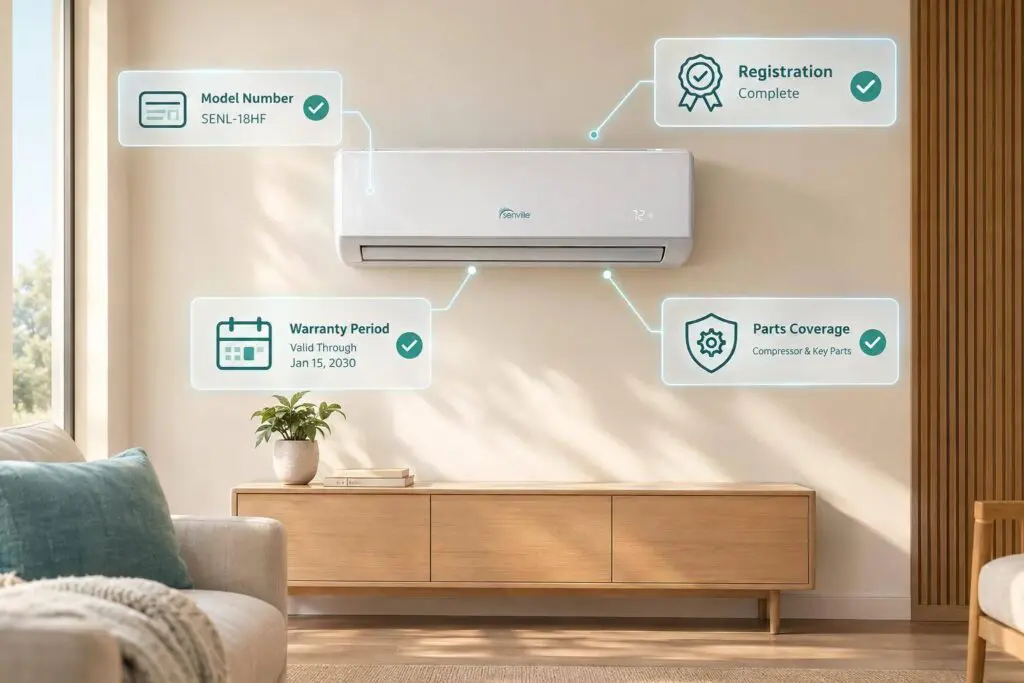
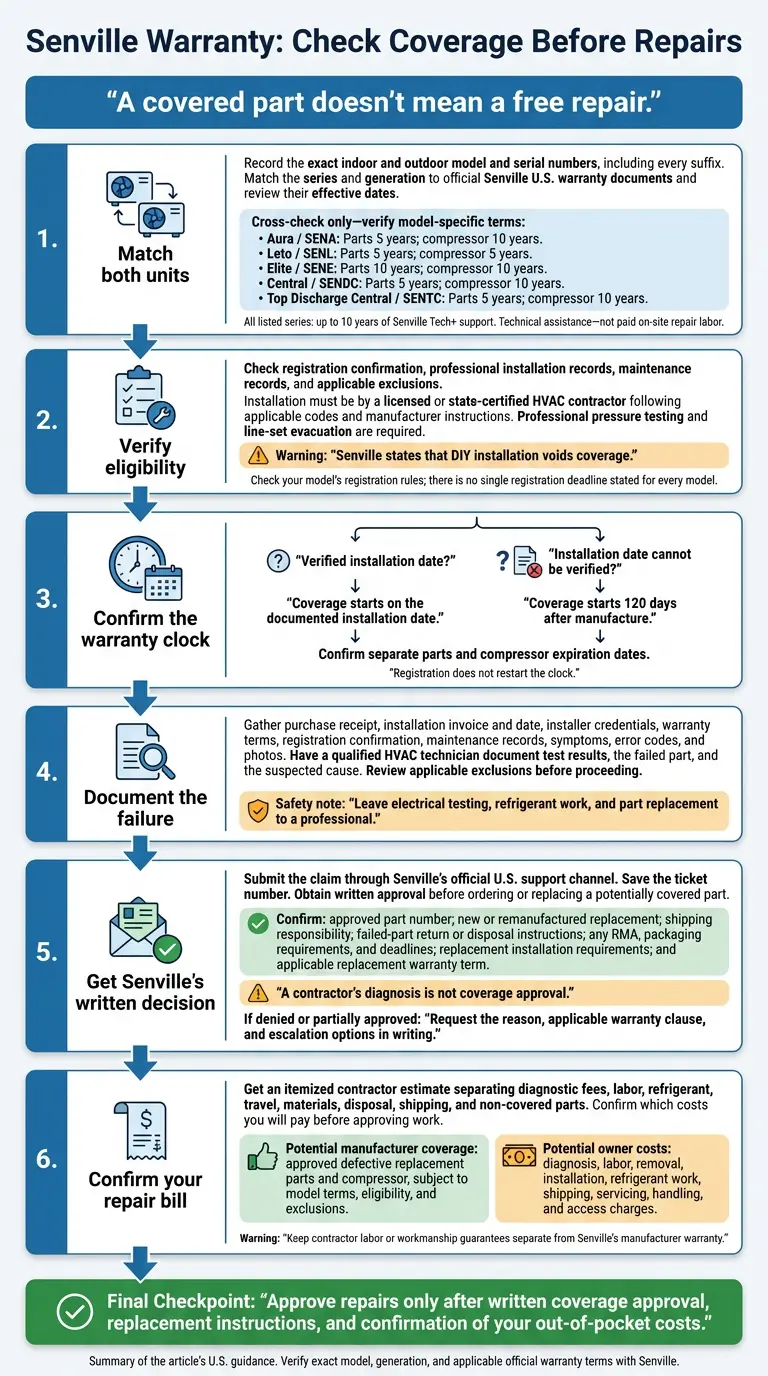
Senville’s U.S. warranty can cover parts for 5–10 years, but that doesn’t mean a free repair. I’d check both units’ exact model numbers when choosing the right HVAC system, registration status, and installation records before approving work. Labor, diagnosis, shipping, and refrigerant work may still be your responsibility.
Here’s what I’d confirm first:
- Your coverage: Parts and compressor terms vary by model and generation. Tech+ support is technical help, not paid repair labor.
- Your dates: Coverage starts on the documented installation date – or 120 days after manufacture if that date can’t be verified.
- Your eligibility: Registration, professional installation, maintenance, and warranty exclusions can affect a claim. Senville states that DIY installation voids coverage.
- Your repair bill: Get Senville’s written claim approval, replacement instructions, and an itemized contractor estimate before work begins.
My rule: <u>confirm coverage and out-of-pocket costs in writing</u>. Keep any contractor labor guarantee separate from Senville’s manufacturer warranty.
Senville Warranty: Check Coverage Before Repairs
How to Register Your Senville Warranty | Step-by-Step Guide
Check Your Model’s Warranty Coverage
BTU size doesn’t determine warranty coverage. Match the exact indoor and outdoor model numbers – including every suffix – to Senville’s U.S. documents.
Check Parts, Compressor, and Technical Support Terms
Use this table only to cross-check the official U.S. warranty document.
| Series | Applicable model endings | Parts term | Compressor term | Technical support term | Model check |
|---|---|---|---|---|---|
| Aura / SENA | Indoor: IQ, IGG, IAA, ICG, 1WCG, IDG, IFG; outdoor: OQ, OG, MOQ, MOB, MOA | 5 years | 10 years | Up to 10 years of Senville Tech+ support | Verify suffixes and generation |
| Leto / SENL | Indoor: IY, ILL; outdoor: OY, OL | 5 years | 5 years | Up to 10 years of Senville Tech+ support | Do not use Aura terms |
| Elite / SENE | Indoor: IHH; outdoor: OH | 10 years | 10 years | Up to 10 years of Senville Tech+ support | Confirm model-specific terms |
| Central / SENDC | Indoor: IM; outdoor: OM | 5 years | 10 years | Up to 10 years of Senville Tech+ support | Distinguish from SENTC |
| Top Discharge Central / SENTC | Indoor: IG; outdoor: OG | 5 years | 10 years | Up to 10 years of Senville Tech+ support | Confirm model-specific terms |
Parts, compressor, and model-ending information:. Technical-support terms:.
Senville Tech+ covers technical assistance, not paid on-site repair labor. Keep any installer workmanship guarantee or labor warranty in a separate file. Ask your contractor whether diagnosis and installation labor are covered when Senville supplies a replacement part. Get the answer and the agreement’s expiration date in writing.
Find Model Numbers and Warranty Documents
Photograph the gray labels on the right side of both the indoor and outdoor units to record their model and serial numbers. Use those details to find the exact product page, installation or operation manual, warranty terms, and registration instructions on Senville’s U.S. website. Match every suffix, then check that each document applies in the U.S. and review its effective date.
| Worksheet field | What to record |
|---|---|
| Indoor model and serial numbers | Complete label text |
| Outdoor model and serial numbers | Complete label text |
| Series and generation | Matching family, prefixes, and suffixes |
| Parts term | Confirmed duration and document reference |
| Compressor term | Confirmed duration and document reference |
| Technical-support term | Confirmed duration and conditions |
| Documentation source | Official page URL, document title, effective date, and saved copy |
| Written clarification | Senville’s response, date, and case number |
Save PDFs or screenshots of the terms supplied at purchase, and record where they came from. If sources conflict, ask Senville to confirm the applicable terms in writing.
Compare those verified terms with your installation and registration records.
Confirm Warranty Eligibility and Coverage Dates
Once you’ve checked the model’s terms, review the registration, installation, and date records that determine whether your claim qualifies.
Check Registration Rules and Save Confirmation
Senville’s current U.S. support guidance says customers must register and should do so as soon as the system is installed. Check your model’s warranty document for a specific registration deadline or condition. The available guidance does not set one deadline for every model.
Register using the model, serial number, and purchase records you’ve already collected. Save the confirmation page, email, and a dated screenshot. If you don’t have proof of registration, ask Senville to confirm your status in writing.
Calculate Coverage Start and End Dates
Coverage starts on the documented installation date – not the purchase or registration date. If there’s no verified installation date, use 120 days after manufacture as the start date.
Keep the sales receipt or order confirmation and dated installation invoice. If those records are missing, gather permits, startup sheets, or dated photographs. Ask Senville to confirm the manufacture date and the applicable coverage start date in writing.
Registration does not restart the clock. Use your model’s coverage terms to confirm the separate expiration dates for parts and the compressor.
Keep Professional Installation Records
Senville requires installation by a licensed or state-certified HVAC contractor who follows applicable codes and manufacturer instructions. Its guidance also requires a professional pressure test and line-set evacuation, and states that DIY installation voids coverage.
Ask for an invoice showing the contractor’s legal name, license or certification information, installation date, equipment model and serial numbers, and work performed. Keep permits, inspection sign-offs, and startup records, too. These documents help establish the installation date and show who completed the work.
Required professional installation does not mean free labor. The warranty excludes labor and other costs for diagnosis, removal, repair, installation, shipping, servicing, and handling defective or replacement parts.
If you installed the system yourself or the contractor’s qualifications are unclear, gather the records you have. Before approving a major repair, ask Senville for a written decision on coverage eligibility. A later inspection or reinstallation does not automatically restore coverage.
Review Covered Parts and Owner-Paid Costs
Once you confirm the coverage dates, separate covered parts from owner-paid charges to estimate your final repair bill.
Separate Parts Coverage From Repair Charges
Check Senville’s written claim approval and your model’s warranty terms to see which parts are covered and which charges you’ll pay.
| Component or expense | Likely warranty treatment | Terms to verify |
|---|---|---|
| Defective parts | Eligible replacement parts may be supplied at no charge. | Confirm the exact model, approved defect, and remaining coverage period. |
| Compressor | May be covered under the model’s compressor term. | Confirm failure approval and whether labor or refrigerant work is excluded. |
| Access costs | Access charges are usually owner-paid. | Confirm any charges for special equipment needed to reach the unit. |
Before work begins, request an itemized estimate showing the model, failed component, approved claim status, and total out-of-pocket cost.
Then confirm whether Senville will supply a new or remanufactured replacement part. Senville may choose either, and the replacement usually remains covered under the original warranty term. Ask whether the original expiration date still applies or a separate replacement warranty is provided.
Check Damage, Maintenance, and Use Exclusions
Check the applicable U.S. warranty for exclusions involving misuse, service performed without approval, improper installation, lack of maintenance, power surges, and cosmetic damage that doesn’t affect operation. Request a written diagnosis that identifies the failed part and suspected cause.
For commercial use, get written confirmation of the model’s approved application, capacity, and transfer rules. Keep the model’s capacity information, installation invoice, load or sizing documentation, and maintenance records. Also confirm that the unit is installed in the United States and that registration and purchase records are in order.
If an exclusion applies to the failure, stop the claim review before approving repair work.
Prepare and Submit a Warranty Claim
Gather Records and Diagnostic Results
If the failure appears covered, start a claim file with the records you’ve already checked. Include the model and serial numbers, purchase receipt, installation invoice and date, installer credentials, warranty terms, and registration confirmation. Add maintenance records, dated symptoms, operating conditions, error codes, and photos of equipment labels and visible damage.
Have a qualified HVAC technician record test results and the suspected fault. Leave electrical testing, refrigerant work, and part replacement to a professional.
Confirm Claim Approval and Replacement Steps
Submit the completed claim through Senville’s U.S. support channel. Open a support ticket on Senville’s official U.S. website or call 1-800-242-4935. State that you’re filing a warranty claim, ask which records and tests your model requires, and save the ticket number. A contractor’s diagnosis is not coverage approval. Get Senville’s written decision before ordering or replacing a part that may be covered.
Before moving ahead, confirm the approved part number, replacement type, who pays for shipping, and whether the failed part must be returned. Ask about any return merchandise authorization (RMA), packaging requirements, and deadlines. Keep the failed part until Senville provides disposal or return instructions, and confirm whether a licensed contractor must install the replacement.
If Senville denies the claim or approves only part of it, request a written explanation. Ask for the decision, reason, applicable warranty clause, evidence reviewed, and appeal or escalation process. Also ask whether more documentation could change the decision. Keep all correspondence and invoices.
Arrange Local Service and Request an Itemized Estimate
If you need local service, get an estimate that separates covered work from costs you’ll pay yourself. Chicagoland homeowners can contact Eco Temp HVAC for diagnosis or service after confirming model compatibility.
Request an itemized estimate that lists diagnostic fees, labor, refrigerant, travel, materials, disposal, shipping, and any non-covered parts separately. Ask for any written workmanship or service guarantee, too. That guarantee is separate from Senville’s parts warranty. Hiring a contractor does not mean Senville has approved the work, agreed to pay for labor, or approved the claim.
Conclusion: Confirm Coverage Before Approving Repairs
Check the exact model – not a general warranty claim. Match both indoor and outdoor model numbers against Senville’s current U.S. warranty documents. Coverage can differ by series and model generation, so review parts and compressor terms separately.
Use the documented original installation date to confirm when coverage begins. If that date can’t be verified, the warranty starts 120 days after manufacture. Review exclusions before approving any work.
Get written Senville approval that names the failed part and replacement steps. A covered part doesn’t mean the repair is free: you may still have to pay for labor and related service costs. Keep any contractor labor or workmanship guarantee separate from Senville’s manufacturer coverage. Approve repairs only after you receive written confirmation of your out-of-pocket costs.
FAQs
What if my indoor and outdoor warranty terms differ?
Use the manufacturer’s official warranty certificate – not product pages or summaries – as your guide. Check the warranty statement for each component, and register every indoor unit and the outdoor condenser so the full system is on file.
If any terms are unclear or conflict, ask the manufacturer for written clarification. If Eco Temp HVAC installed your system, our team can help verify coverage or fix registration errors.
Can I claim coverage without my installation invoice?
Don’t assume you’re covered without your installation invoice. Warranty claims require verification of the model and serial numbers, installation date, and installer and property details. If your invoice is missing or incomplete, request an itemized invoice, installation work order, or completion report.
Review your registration confirmation and warranty certificate for the terms. If you need help, contact the manufacturer’s warranty department with your case details. Don’t authorize repairs until coverage is confirmed through the claim process.
Does my Senville warranty transfer if I sell my home?
Whether your warranty transfers to a new owner depends on its terms. Some policies cover only the original purchaser. Check your warranty documents or the terms provided at installation to confirm whether a new owner can keep the coverage.
If you plan to sell your home, save your original installation records, commissioning reports, and warranty registration confirmations so you can pass them along to the buyer.