
Voice-controlled HVAC systems let you adjust your home’s temperature using simple voice commands through smart assistants like Alexa, Google Assistant, or Siri. These systems connect smart thermostats to your home network, enabling precise temperature control, energy savings, and added convenience.
Key Features:
- Voice Commands: Adjust settings by saying things like “Set the living room to 72°F.”
- Smart Integration: Works with platforms like Amazon Alexa, Google Home, and Apple HomeKit.
- Energy Efficiency: Reduces energy use by 10–20% through optimized cycles and scheduling.
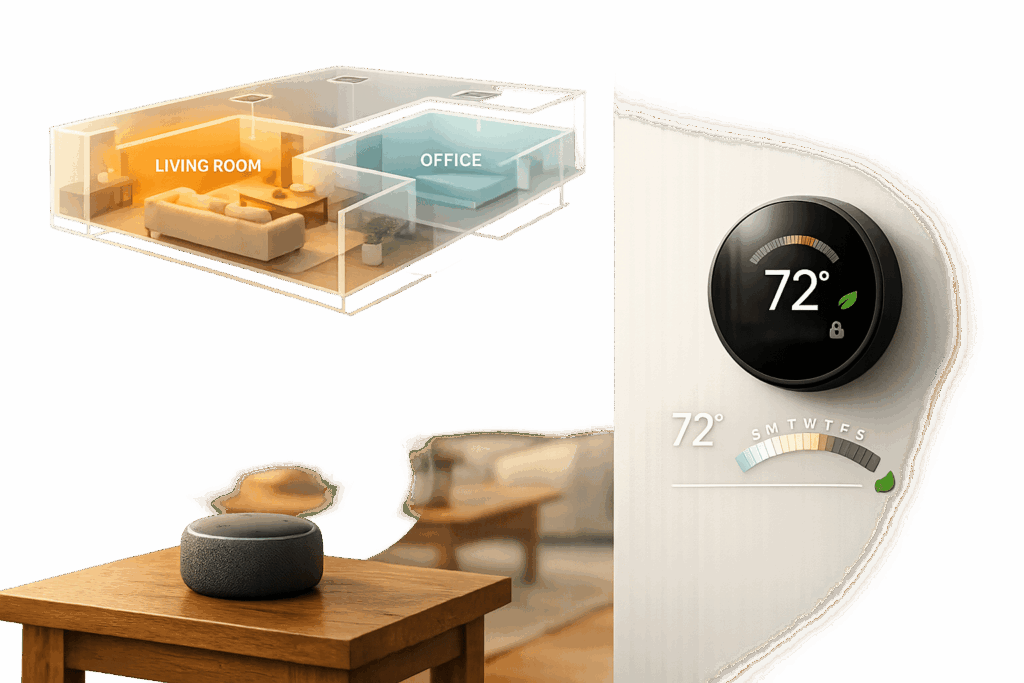
- Zoning Control: Manage temperatures in individual rooms for tailored comfort.
- Maintenance Alerts: Receive reminders for tasks like filter changes.
Setup Process:
- Install a compatible smart thermostat (e.g., Ecobee, Nest).
- Connect the thermostat to your home Wi-Fi.
- Pair it with your voice assistant app.
- Test and refine voice commands for accuracy.
For those in Chicagoland, companies like Eco Temp HVAC offer professional installation and support to ensure seamless integration with your smart home setup.
Ecobee Smart Thermostat With Voice Control – Installation , Setup and Review

sbb-itb-b5c10b1
The Technology Behind Voice-Controlled HVAC
How Voice-Controlled HVAC Systems Work: From Command to Action
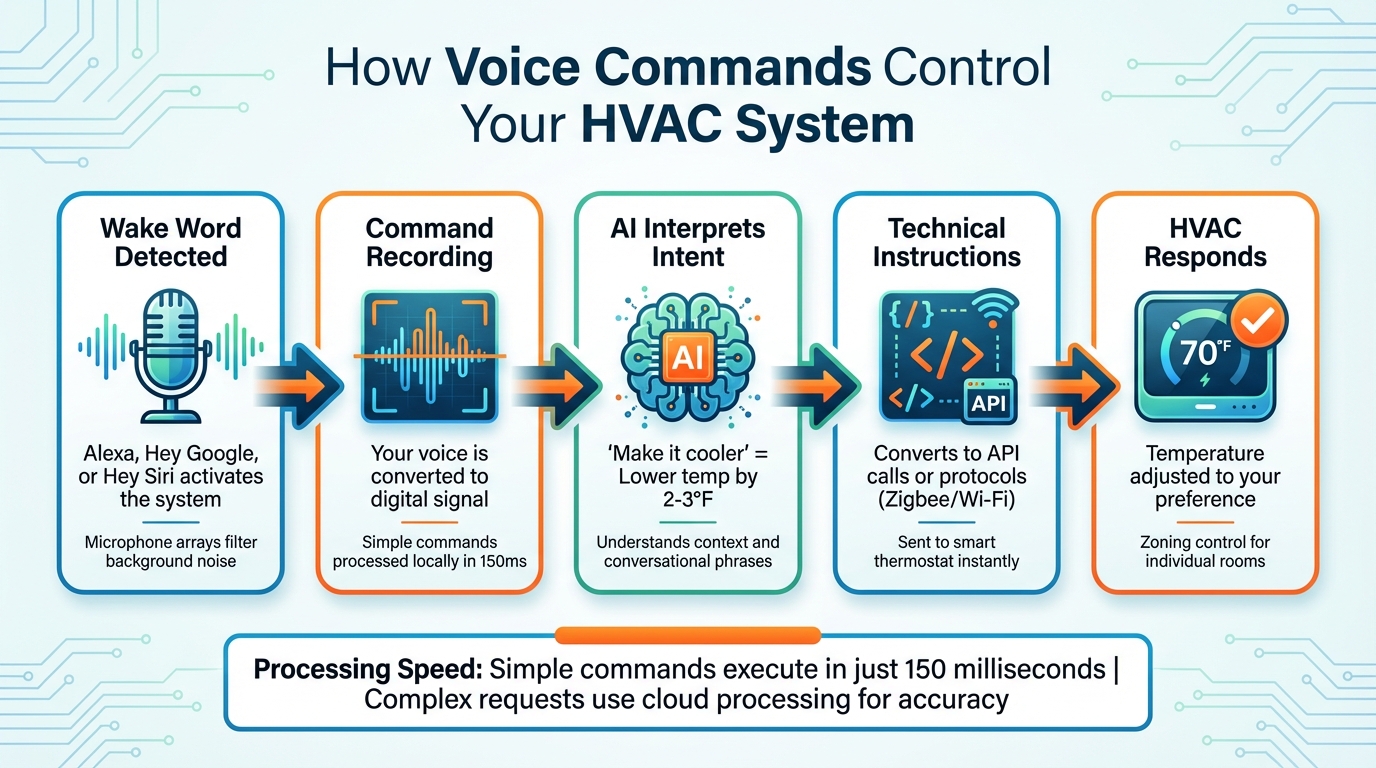
Voice-controlled HVAC systems rely on a mix of microphones and advanced AI to understand and act on spoken commands. These systems take casual phrases like "I’m cold" and translate them into precise actions, such as adjusting the temperature.
How Microphones Detect Voice Commands
Voice assistants are always on the lookout for a wake word – like "Alexa", "Hey Google", or "Hey Siri." Once activated, the microphone records your command and converts it into a digital signal. To ensure accuracy, the system filters out background noise, including sounds like the hum of your HVAC unit, using statistical models trained on extensive datasets.
High-end systems use specialized microphone arrays that can pick up commands from across the room, even in noisy conditions. For instance, Josh.ai devices feature discreet, ceiling-mounted microphones that provide top-notch recognition. These setups are far more effective than the single microphones found in basic smart speakers.
Simple commands – like "set temperature to 72°F" – are processed locally on devices such as the Raspberry Pi 5, often within just 150 milliseconds. More complex instructions are sent to the cloud for processing. Once the voice input is digitized and cleaned of noise, AI takes over to interpret the command.
Natural Language Understanding (NLU)
After digitization, NLU algorithms analyze your words to figure out what you want. For example, if you say "make the bedroom cooler", the system identifies the action (lower temperature), the location (bedroom), and applies a standard adjustment, usually around 2–3°F. NLU is designed to handle different ways of saying the same thing, so phrases like "I’m chilly", "turn up the heat", or "increase temperature" all lead to the same result.
"Natural Language Understanding: Advanced AI processes conversational commands like ‘It’s cold in here’ and automatically increases temperature by appropriate amounts." – Abhay, Smart Home Automation Expert, Digitalholics
Modern systems can also track conversation context. This means you can say something like "make it two degrees warmer" without having to repeat the room name. Once your intent is confirmed, the system translates it into technical instructions – such as API calls or communication protocols like Zigbee or Wi-Fi – that your smart thermostat can understand. These commands are executed almost instantly, ensuring your comfort is adjusted right away.
Connecting with Smart Home Systems
Smart thermostats go beyond just regulating temperature – they connect your HVAC system to your home’s Wi-Fi and integrate with popular voice platforms. Brands like Nest, Ecobee, and Honeywell make it easy to link your thermostat with voice assistants such as Alexa, Google Assistant, or Siri, creating a more connected and convenient home environment.
Working with Amazon Alexa, Google Assistant, and Apple HomeKit
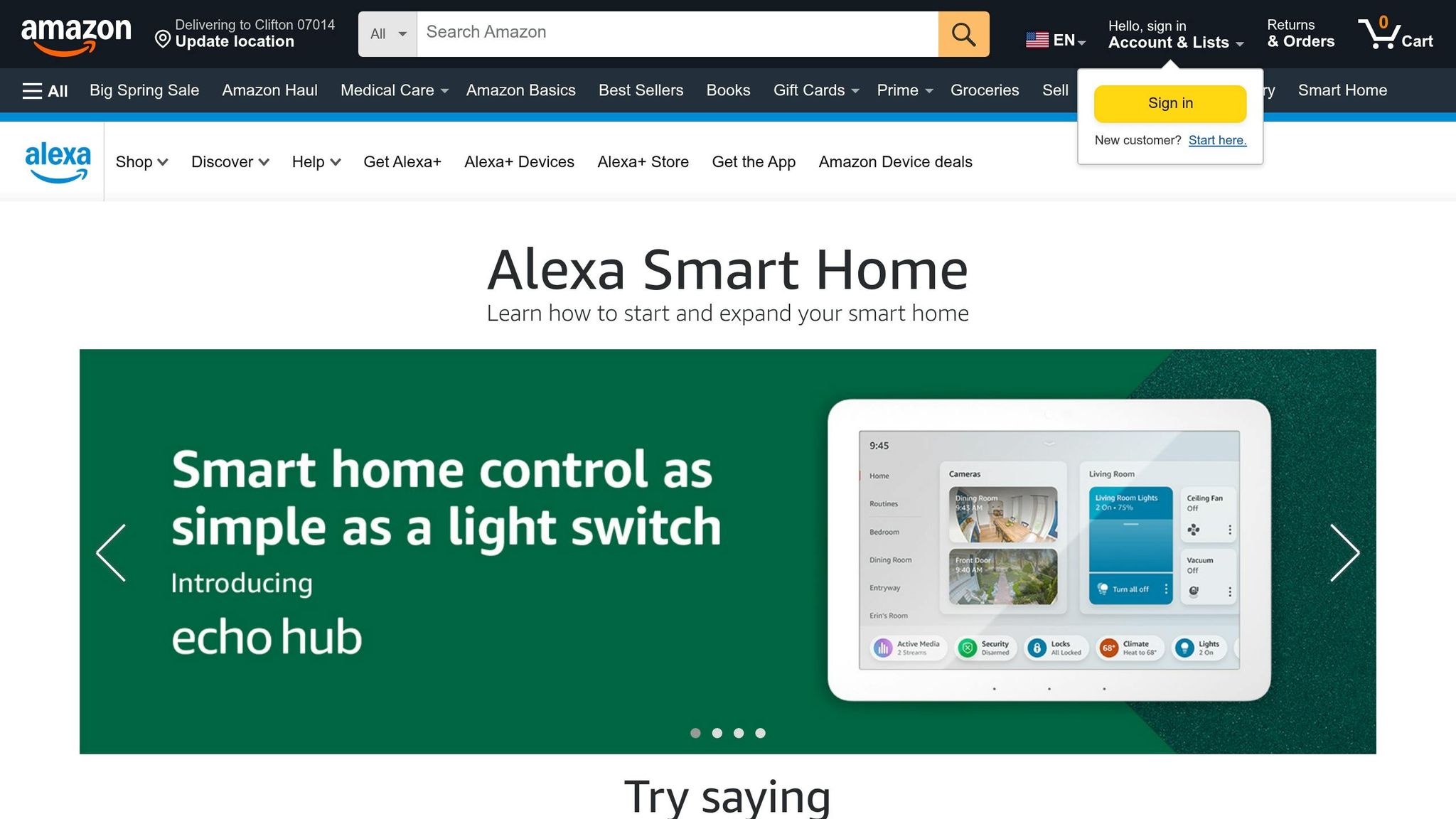
Each voice assistant has a specific process for connecting to your HVAC system:
- Amazon Alexa: Open the Alexa app, tap "Add Device", select "Thermostat", and log in to your thermostat account. Some models, like the Ecobee Smart Thermostat Premium (priced around $189), even come with Alexa built into the unit, so there’s no need for an additional Echo device.
- Google Assistant: Nest devices integrate directly through the Google Home app. For third-party thermostats like Ecobee, you’ll need to select "Works with Google" and link your account.
- Apple HomeKit: Pairing involves scanning a unique code found on your thermostat or in its manual. To enable full remote access and Siri control, you’ll also need a HomeKit Hub, such as an Apple TV, HomePod, or iPad.
Once connected, these platforms allow for simple voice commands to adjust your thermostat. You can check the temperature, switch between heating and cooling, or activate eco mode with ease. One Amazon user shared, "The Alexa integration is smooth. I love being able to adjust the temp with just my voice while cooking".
This seamless integration lays the groundwork for advanced features like zoning and optimizing system performance.
Smart Thermostat Connectivity
Smart thermostats also shine in managing individual zones. For example, the MRCOOL SmartHVAC App lets you control different air handlers in separate rooms, allowing you to adjust the temperature in one area without affecting others. Clearly naming each zone in your app (e.g., "Master Bedroom" or "Living Room") ensures voice commands are accurate and effective.
Most smart thermostats operate on a 2.4 GHz Wi-Fi network, as they often don’t support 5 GHz networks. If you’re experiencing connectivity issues, check your router settings or consider placing a Wi-Fi extender near the air handler. With optimized scheduling and smarter run cycles, Wi-Fi-enabled HVAC systems can improve efficiency by 10–20% and cut annual energy usage by 8–10%. Many smart thermostats also offer real-time temperature and energy updates via smartphone apps and send filter cleaning reminders after 250 hours of operation, which you can track using an HVAC filter replacement planner.
For residents in the Chicagoland area, Eco Temp HVAC provides expert installation and support, ensuring your HVAC system integrates seamlessly with your smart home setup.
How to Set Up a Voice-Controlled HVAC System
Installing Compatible Smart Thermostats
To enable voice control for your HVAC system, start by installing a Wi-Fi-enabled smart thermostat. Popular choices include Ecobee (priced around $189) and other models that connect seamlessly to your home network. Before buying, use the manufacturer’s online compatibility tools to ensure the thermostat works with your specific HVAC setup – whether it’s single-stage, multi-stage, or a heat pump system.
When removing your old thermostat, take a photo and label the wiring. This will save you a headache during the installation process. Most smart thermostats require a common wire (C-wire) for continuous power. If your system doesn’t have one, you may need to install a power adapter. Also, confirm that your thermostat supports 2.4 GHz Wi-Fi. If your router is far from the thermostat, consider adding a Wi-Fi extender for a better connection.
Once the hardware is installed, move on to pairing the thermostat with your voice assistant.
Pairing with Voice Assistants
To connect your smart thermostat to a voice assistant, follow these steps:
- Amazon Alexa: Open the Alexa app, tap "Add Device", choose "Thermostat", and log into your thermostat account.
- Google Assistant: For Nest devices, use the Google Home app. For third-party thermostats, select "Works with Google" in the app and link your account.
- Apple HomeKit: Scan the pairing code provided with the thermostat or in the manual. You’ll also need a HomeKit Hub (such as an Apple TV, HomePod, or iPad) for full remote access.
To ensure accurate voice commands, assign clear names to each zone in your home, like "Living Room" or "Bedroom", within the app. If you have a multi-zone system, apps like the MRCOOL SmartHVAC App let you control individual air handlers, offering more precise adjustments than generic thermostats.
Once paired, test your system to ensure it responds correctly to voice commands.
Testing and Adjusting Voice Commands
After completing the setup, test your system’s responsiveness with basic voice commands. For example, try saying:
- "Alexa, set the temperature to 72 degrees."
- "Hey Google, what’s the temperature?"
- "Hey Siri, turn off the heat".
If the commands don’t work, troubleshoot by checking your Wi-Fi connection, restarting the thermostat and assistant device, or verifying account permissions. Make sure you’ve accepted the End User License Agreement during setup to activate voice features.
You can also create routines in apps like Alexa or Google Home to automate tasks. For instance, a "Goodnight" routine could lower the temperature and dim the lights at the same time. Additionally, keep your thermostat’s firmware updated to ensure smooth performance and use a smart thermostat savings planner to track your efficiency.
For those in the Chicagoland area, Eco Temp HVAC offers professional installation and configuration support, ensuring your voice-controlled HVAC system is set up perfectly from the start.
Benefits of Voice-Controlled HVAC Systems
Once you’ve completed the setup and integration process, voice-controlled HVAC systems offer a range of practical, everyday advantages.
Convenience and Accessibility
With voice-controlled HVAC systems, adjusting your home’s temperature is as simple as speaking a command. No need to fumble with buttons or apps – just say the word, and you’re good to go. For busy households in Chicagoland or small business owners handling multiple responsibilities, this hands-free functionality can be a real time-saver.
But the benefits go beyond just convenience. These systems are a game-changer for older adults, children, and individuals with vision or mobility challenges. Instead of struggling with tiny thermostat screens or complicated menus, they can manage their comfort effortlessly using spoken phrases. This level of accessibility can make a significant difference in maintaining independence. Plus, the ability to control specific rooms individually – like cooling a bustling office while keeping a storage room energy-efficient – adds another layer of practicality.
"Voice control is about accessibility as much as convenience – it’s a lifesaver when you’re multitasking, cooking, or simply too cozy to get up." – Savvy Mavi
And while convenience is key, these systems also help you save energy and cut costs.
Energy Efficiency and Cost Savings
Voice-controlled HVAC systems are designed to help you lower your utility bills. By optimizing run cycles and scheduling, they ensure your system operates efficiently. Even small adjustments, like increasing your thermostat by a single degree in the summer, can lead to 6% savings on cooling costs.
Automated energy-saving modes take things further. For example, saying "Leaving Home" can set your thermostat to an energy-efficient temperature while locking doors and activating your security system. Advanced systems can even adapt to current utility rates, balancing natural gas and electricity usage – a particularly helpful feature in Chicagoland, where heating and cooling costs often fluctuate. On top of that, these systems offer proactive maintenance alerts, such as reminders to change filters after 250 hours of use, helping you avoid breakdowns during extreme weather.
Beyond energy savings, these systems enhance your overall smart home experience.
Better Integration for Smart Living
Voice-controlled HVAC systems bring all your smart home devices together. A single command like "Movie Night" can adjust your thermostat, dim the lights, and close motorized shades – all in one seamless action. This level of automation elevates your home experience, making it more intuitive and enjoyable.
Health and comfort also get a boost. By integrating with air quality monitors and humidity sensors, these systems can automatically adjust settings to create a healthier indoor environment without requiring manual adjustments. As voice assistants become more common, HVAC systems are increasingly becoming the backbone of smart home ecosystems.
For Chicagoland residents ready to upgrade their HVAC system, Eco Temp HVAC specializes in professional voice control integration. Their expert team ensures your system works seamlessly with your existing smart home setup, making the transition smooth and hassle-free.
Conclusion
Voice-controlled HVAC systems are changing the way homes and businesses manage indoor comfort. By leveraging Wi-Fi connectivity, cloud-based processing, and integration with voice assistants like Amazon Alexa, Google Assistant, and Apple HomeKit, these systems make it possible to adjust smart thermostats and modes with simple spoken commands.
This shift in technology isn’t just about convenience – it also delivers real savings and improved comfort. With Wi-Fi-enabled controls, HVAC systems can achieve 10% to 20% higher efficiency by optimizing run cycles. For those in Chicagoland, this means lower energy bills and better climate control, even with the region’s unpredictable weather.
Professional installation plays a crucial role in ensuring these systems work flawlessly. Certified technicians handle everything from verifying system compatibility to configuring networks for reliable voice recognition. They also program advanced features like coordinated "scenes" that sync HVAC with lighting and security systems. Plus, they manage key tasks such as C-wire installation and firmware updates to maintain efficiency and performance.
For those in Chicagoland looking to make the switch, Eco Temp HVAC provides expert installation and integration of voice-controlled HVAC systems. Their team ensures smooth smart home integration, dependable wiring, and optimal setup for both residential and commercial spaces.
FAQs
Do I need a C-wire for voice control?
A C-wire plays a crucial role in voice-controlled HVAC systems. It supplies a steady flow of power to smart thermostats, which is essential for maintaining dependable operation and stable Wi-Fi connectivity. Without a C-wire, certain systems might struggle to work as intended or may need extra adapters to function efficiently.
What if my Wi‑Fi goes out?
If your Wi-Fi stops working, your voice-controlled HVAC system might not process commands that depend on cloud services. However, you can still manage your thermostat manually using its physical buttons or, if supported, through its app-based controls.
Is voice-controlled HVAC secure?
Voice-controlled HVAC systems offer a solid level of security, but their safety hinges on how they’re set up and the technology they use. Many of these systems incorporate tools like voice recognition, encryption, and multi-factor authentication to help minimize potential risks.
To boost security, consider these steps:
- Set up unique voice profiles to ensure only authorized users can control the system.
- Regularly update the system’s firmware to patch vulnerabilities.
- Always connect the system to a secure home network for added protection.
However, keep in mind that speech recognition isn’t perfect. Factors like background noise can interfere with performance and, in some cases, impact security.