
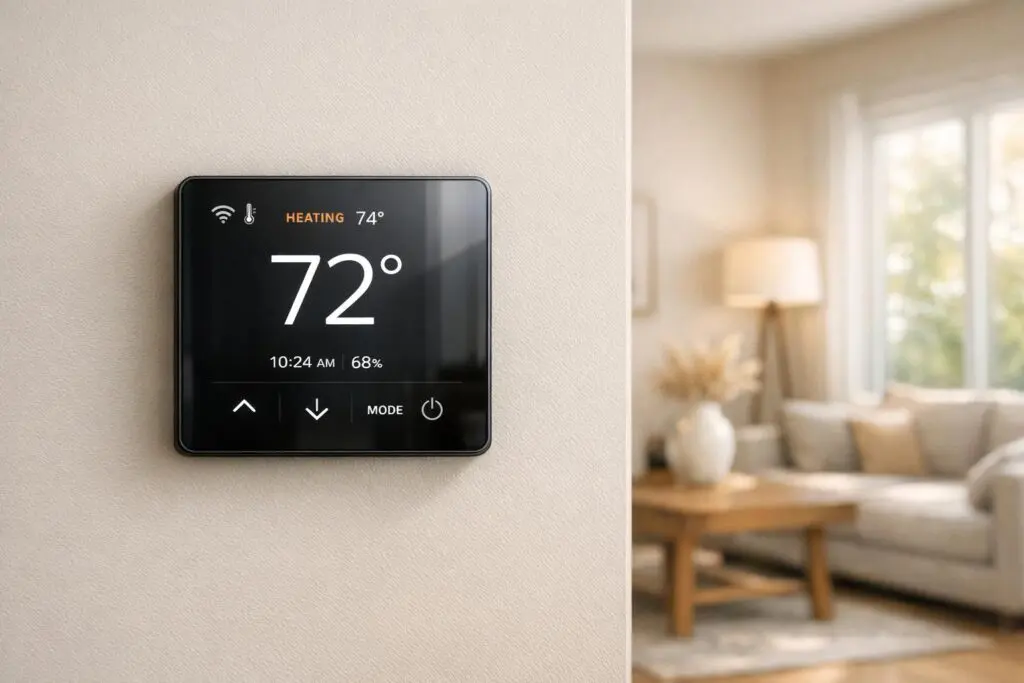
Your thermostat plays a critical role in keeping your home comfortable and energy-efficient. But when it malfunctions, it can lead to discomfort, higher utility bills, or even HVAC system damage. Here’s a quick rundown of the five most common thermostat problems and how to fix them:
- Blank Screen or No Power: Often caused by dead batteries, a tripped breaker, or loose wiring. Start by replacing batteries, checking the breaker, and ensuring the furnace door is securely closed.
- Inaccurate Temperature Readings: Dust, poor placement, or aging sensors can cause inaccurate readings. Clean the thermostat, relocate it to an optimal spot, or consider professional calibration.
- System Not Responding: Weak batteries, incorrect settings, or wiring issues are typical culprits. Check power, reset the thermostat, and inspect wiring connections.
- Frequent Cycling or Running Nonstop: Poor placement, calibration issues, or clogged air filters can disrupt cycling. Adjust settings, clean sensors, or replace the air filter.
- Programming or Scheduling Issues: Common mistakes include "Hold" mode or incorrect AM/PM settings. Double-check schedules, reset learning data for smart thermostats, and simplify programming.
If DIY fixes don’t work, professional help may be needed for deeper issues like wiring damage, faulty switches, or outdated thermostats. Regular maintenance and proper placement can prevent many of these problems.

5 Common Thermostat Problems and How to Fix Them
Thermostat Not Working Properly? 14 Easy Fixes
1. Blank Screen or No Power
A blank thermostat screen can feel like a big problem, but it’s often one of the simplest issues to resolve. When the display goes dark, your HVAC system essentially loses its control center, leaving your home without heating or cooling until the power is restored.
What Causes Power Loss
The most common reason for a blank thermostat screen? Dead batteries. Many digital thermostats run on 1.5V AAA alkaline batteries, and when they die, the display shuts off immediately.
Another frequent cause is a tripped circuit breaker. Power surges or electrical faults can trip the breaker connected to your furnace or air handler, cutting off power to the thermostat. Keep in mind, your thermostat typically gets its power from the indoor equipment’s circuit, not the outdoor AC unit.
Safety switches can also shut things down. If a furnace door isn’t secured properly or a drain line is blocked, safety features might kick in, cutting power to the thermostat as a precaution.
Lastly, loose or corroded wiring at the thermostat terminals can disrupt the electrical connection, leaving the screen blank.
Knowing these causes makes it easier to troubleshoot and fix the problem.
How to Fix Power Issues Yourself
Start with the easiest fix: replace the batteries. Swap out the old batteries for fresh AAA alkalines. This simple step often resolves the issue and is a good habit to include in your annual maintenance routine.
Next, check the circuit breaker and ensure the furnace door is securely closed. Locate the breaker labeled "HVAC", "Furnace", or "Air Handler." If it’s tripped, switch it off completely and then back on to reset it. Also, double-check that the furnace or air handler’s access panel is firmly closed; many systems have a safety switch that cuts power if the panel isn’t properly secured. If the breaker trips again right away, don’t keep resetting it – call a professional instead.
"If the breaker is tripped, consult with an HVAC professional. A problem with the system could have caused the breaker to trip and turning it back on again without fixing the problem could cause damage to the system." – Anne Fonda, Content Writer, Trane Technologies
Another step is to clean the thermostat’s internal components. Turn off the power at the breaker, remove the thermostat cover, and use compressed air or a soft brush to gently clean dust from the sensors and wiring terminals. Confirm that all wire connections are secure. These simple maintenance steps can help keep your thermostat functioning properly.
When to Call Eco Temp HVAC

If none of these fixes work, it’s time to call in the experts at Eco Temp HVAC. Persistent issues, like a blank screen after replacing batteries or checking the breaker, could point to deeper problems such as corroded, burnt, or disconnected wiring. If the circuit breaker keeps tripping, this could signal a more serious electrical issue that requires professional attention to prevent potential damage to your HVAC system.
Additionally, if your thermostat is older and continues to have problems, it might be nearing the end of its lifespan. Eco Temp HVAC’s certified technicians can handle complex issues, including blown fuses on the furnace control board, faulty limit switches, or the need for a C-wire installation for modern smart thermostats. With 24/7 service available throughout Chicagoland – covering areas like Chicago, St Charles, Bartlett, Lemont, Downers Grove, and Palatine – help is always nearby when DIY methods fall short.
2. Temperature Reading Doesn’t Match Room Temperature
If your thermostat reads 70°F but your living room feels more like 73°F, this mismatch can cause your HVAC system to work harder than necessary, potentially increasing energy costs by as much as 7%.
Why Temperature Readings Can Be Off
Several factors can throw off your thermostat’s accuracy. Placement is a big one – installing it near heat sources like lamps, TVs, or appliances, or in direct sunlight, can skew readings. Drafts from windows or doors can also mislead the sensor.
Another culprit is dust. Even a thin layer of dust on the sensor or mechanical coils can act as insulation, leading to incorrect temperature readings.
"Dust can act as an effective insulator… preventing [the sensor] from working correctly." – Hoff Heating & AC
Over time, internal sensors can drift, especially if the thermostat is nearing its 10-year lifespan or has recently had its batteries replaced. For older mercury-based models, even a slight bump can cause the mercury switch to malfunction.
Cleaning and Relocating Your Thermostat
Start by checking the thermostat’s accuracy. Tape a calibrated thermometer nearby and compare readings after 15–30 minutes. If the difference is more than 1–2°F, your thermostat may need attention.
Cleaning is simple but important. First, turn off the power at the breaker. Remove the thermostat cover and gently clean the sensor and contact points using compressed air or a soft brush. For mechanical models with visible coils, sliding a dollar bill between the contact points can help remove corrosion.
Placement matters too. Install your thermostat on an interior wall, ideally 52 to 60 inches above the floor, to capture an average room temperature. Avoid areas like kitchens and bathrooms where heat and steam can interfere with readings. If there’s a draft coming through the wiring entry point behind the thermostat, seal it with insulation or tape to prevent cold air from affecting the sensor.
If cleaning and repositioning don’t resolve the issue and discrepancies remain greater than 1–2°F, it’s time to consider professional calibration.
When to Call in the Pros or Replace Your Thermostat
If the temperature readings are still off after your efforts, professional calibration might be necessary. Certified technicians, like those from Eco Temp HVAC, have the tools to recalibrate your thermostat with precision.
"If the thermostat is relatively new and the issue seems minor, a repair may work fine. However, if it’s an older thermostat… it’s probably more cost-effective in the long run to install a new thermostat." – Tom Moor, HVAC Expert
Thermostats older than 10 years – or those with visible wiring corrosion or loose connections – are often better off being replaced. For smart thermostats, professionals can address complex calibration or software issues to ensure everything runs smoothly. Eco Temp HVAC offers these services, ensuring accurate installation and reliable performance throughout the Chicagoland area.
3. System Won’t Turn On or Respond
If you adjust your thermostat and nothing happens – no clicks, no fan, no heating, or cooling – it often boils down to issues with power, settings, or wiring. When the thermostat isn’t communicating properly, the system can seem completely unresponsive.
Common Reasons Systems Don’t Respond
One of the most frequent culprits is a power issue. Even if the thermostat display lights up faintly, dead or weak batteries can prevent it from sending signals. A tripped circuit breaker in your electrical panel or a blown fuse inside the thermostat can also disrupt communication.
Incorrect settings are another common reason. For instance, if your thermostat is set to "Cool" when you need heat, or if the set temperature is too close to the room temperature (less than a 5°F difference), the system might not activate. Some thermostats also have a child lock feature that disables changes – check your manual for details on unlocking it, as this could be the issue.
Wiring problems can also cause a lack of response. Loose or corroded wires, often caused by vibrations, can interrupt signals between the thermostat and your HVAC system. Additionally, safety shutoffs, like a furnace limit switch triggered by overheating or a moisture-activated safety switch, can stop your system from working.
Lastly, ensure the furnace power switch is turned on, and check that the air filter isn’t clogged.
Basic Troubleshooting Steps
Once you’ve identified potential causes, try these steps to get your system working again.
- Power issues: Replace the batteries with fresh 1.5V alkaline ones and inspect your electrical panel for tripped breakers or blown fuses.
- Check thermostat settings: Make sure the settings align with your system’s needs. For air conditioners, remember there’s often a built-in three-minute safety delay before the compressor restarts.
- Inspect wiring: Turn off power at the breaker, remove the thermostat cover, and look for loose, detached, or corroded wires. Tighten any loose screws with a screwdriver, and ensure the exposed wire is clean, straight, and about 3/8" long. Use a soft brush or compressed air to clean dust from sensors and contact points.
- Reset the system: Press the reset button on your thermostat or remove the display for at least 30 seconds. Also, check the air filter for blockages.
When to Get Professional Help
If these steps don’t resolve the issue, it’s time to call in the experts. Eco Temp HVAC can help if your system remains unresponsive after replacing batteries, resetting breakers, and adjusting settings. Professional assistance is especially important if you notice damaged wiring, corroded connections, or if the circuit breaker trips immediately after resetting.
Eco Temp HVAC’s certified technicians can handle complex problems like faulty limit switches, blower motor issues, or tripped safety switches. They can also install C-wires for smart thermostats, relocate thermostats to better locations, and calibrate sensors for older systems. With 24/7 service across the Chicagoland area, they’ll quickly determine whether the issue lies with your thermostat or the HVAC system itself.
sbb-itb-b5c10b1
4. System Turns On and Off Too Often or Runs Nonstop
When your HVAC system cycles too frequently or seems to run endlessly, the thermostat is often the culprit. Even small inaccuracies in temperature readings can throw off the system’s balance. Typically, an HVAC unit should cycle about two to three times per hour, with each cycle lasting 15 to 20 minutes. Anything outside of this range can lead to wasted energy, higher utility bills, and unnecessary wear on your equipment.
Thermostat Issues That Cause Cycling Problems
The thermostat’s location plays a big role in how your HVAC system operates. If it’s placed in a spot prone to false readings – like near a window, heat source, or vent – it could cause the system to turn on and off at odd intervals. Calibration errors are another common issue. For instance, if your thermostat’s reading is off by more than 1°F compared to a reliable thermometer, you may notice erratic cycling. Dust buildup on sensors can interfere with electrical contacts, and weak batteries can weaken the signals sent to your HVAC system.
A clogged air filter is another factor to watch for. When airflow is restricted, the system can overheat and shut down as a safety measure, leading to short-cycling. To avoid this, it’s a good idea to replace your air filter every 30 to 90 days.
Simple Fixes for Cycling Problems
If your thermostat is giving accurate temperature readings but the cycling problem persists, try these quick adjustments:
- Check the fan setting. If it’s set to "On", the fan will run constantly. Switching it to "Auto" allows the system to cycle properly.
- Test thermostat accuracy. Tape a reliable thermometer a few inches away from the thermostat and compare the readings after 15 to 30 minutes. If they don’t match, consult the thermostat’s manual for recalibration instructions or gently clean the sensors with compressed air.
- Relocate the thermostat. If it’s near a window, vent, or heat source, moving it to a more central and neutral location can improve its performance.
- Replace the air filter. A dirty or clogged filter can disrupt airflow and lead to cycling issues.
If these steps don’t fix the problem, it might be a sign of a more serious issue.
Identifying Larger HVAC Problems
When quick fixes don’t solve the cycling issue, it could point to problems like a faulty furnace limit switch, a malfunctioning blower motor, or an oversized HVAC system.
That’s where Eco Temp HVAC can help. Their certified technicians can inspect your thermostat and HVAC equipment to identify the root cause. They’ll check for mechanical failures, ensure wiring connections are secure, and determine whether your system needs recalibration or even replacement. With 24/7 service available across the Chicagoland area, their team ensures you’re addressing the actual problem – not just masking the symptoms.
5. Schedule and Programming Issues
Even the most advanced thermostats can fall short if they’re not programmed correctly, leading to discomfort, wasted energy, and higher utility bills. On average, U.S. households spend over $900 annually on heating and cooling expenses. Just like sensor or power problems, poor scheduling can hurt your system’s performance and your comfort.
Typical Programming Mistakes
A common mistake is leaving the thermostat in "Hold" mode. This setting locks in a specific temperature, bypassing your preset schedule. Often, this happens after a manual adjustment, and people forget to switch it back.
Another frequent issue is time-setting errors, like mixing up AM and PM. For example, programming your "Sleep" or "Away" time for 8:00 AM instead of 8:00 PM can cause temperature changes at the wrong times, leaving you uncomfortable when you’re home. Smart thermostats, while convenient, can add complexity. Devices like Nest might learn outdated routines if your schedule changes or you move. They might also misinterpret motion, failing to activate "Eco" or "Away" modes, or mistake pet movements for human activity.
Vacation mode is another potential pitfall. If left active after returning home, it overrides your daily programming to maintain a single energy-saving temperature. Additionally, third-party automations, like those set up through Google Home, can unexpectedly alter your thermostat settings.
How to Reset and Simplify Your Schedule
If your thermostat isn’t following your schedule, start by canceling any active "Hold" settings, double-check AM/PM configurations, and turn off Vacation Mode. For smart thermostats, you can reset learning data through the settings menu (e.g., Settings > Reset > Away or Schedule). Use the thermostat’s companion app to review its "Energy History" feature. This will show when and why temperature changes occurred, helping you pinpoint whether the issue lies in your schedule, a smart feature, or an automation.
"Programming your thermostat can feel daunting. But with a little preparation and some understanding of what lies ahead, the task can be made easier." – John Galeotafiore, Consumer Reports
For energy savings, the Department of Energy suggests setting your "home" temperature to 68°F during winter. During "away" or "sleep" periods, lower the temperature by 7–10 degrees from your "home" setting. If a detailed 7-day schedule feels overwhelming, consider using a 5-2 day format – one schedule for weekdays and another for weekends – to keep things simple.
If these adjustments don’t solve the problem, it might be time to call in a professional.
Getting Help with Smart Thermostats
Smart thermostats come with impressive features, but they can be tricky to set up perfectly. If you’re facing challenges with programming, placement, or connectivity, Eco Temp HVAC’s certified technicians can help. Serving the Chicagoland area, their team specializes in optimizing thermostat placement, ensuring proper wiring (including C-wire installation), and setting up schedules tailored to your routine.
They’ll make sure your thermostat is installed in the best spot – away from heat sources, drafts, and direct sunlight – and confirm it has the correct wiring for steady power and Wi-Fi connectivity. They’ll also configure your schedule, fine-tune smart features like geofencing and presence detection, and integrate the thermostat with your HVAC system for peak performance. With 24/7 availability, they’ll ensure your thermostat keeps your home comfortable and energy-efficient year-round.
Conclusion
Your thermostat is the control center of your HVAC system, and when it isn’t working properly, your home’s comfort takes a hit. The good news? Many common problems – like blank screens, inaccurate temperature readings, unresponsive buttons, frequent cycling, or programming glitches – can often be addressed with straightforward troubleshooting.
However, not every issue can be solved on your own. More serious problems, such as exposed wiring, malfunctioning limit switches, or a thermostat that’s outlived its typical 10-year lifespan, often require professional help. Tackling these issues without expert knowledge could risk further damage to your system.
For those stubborn problems that just won’t go away, Eco Temp HVAC provides a full range of thermostat services. From troubleshooting and calibration to installation and replacement, their certified technicians are available 24/7 to ensure your thermostat is properly placed, wired, and compatible with your system.
Routine maintenance – like cleaning sensors, replacing batteries, and checking calibration – can help you avoid bigger issues down the road. And if DIY fixes don’t cut it, professional support ensures your HVAC system runs smoothly, keeping your home as comfortable as it should be.
FAQs
How can I tell if my thermostat needs to be calibrated by a professional?
If parts of your home feel too warm or too chilly, your HVAC system keeps cycling on and off, or your energy bills seem unusually high, your thermostat might need a professional calibration. Another telltale sign is when the temperature displayed on your thermostat doesn’t match what a reliable thermometer shows.
When your thermostat is calibrated correctly, your HVAC system operates more efficiently, maintaining a comfortable environment throughout your home. If you’re uncertain about the issue, a skilled technician can check and resolve it in no time.
How can I tell if my thermostat needs to be replaced?
If your thermostat isn’t working as it should, there are a few telltale signs that it might need replacing. Watch for problems like a blank or unresponsive display, difficulty maintaining the set temperature, frequent loss of programmed settings, or inaccurate temperature readings compared to the actual room conditions. Another red flag? If your thermostat is over 10 years old or your HVAC system isn’t cycling on or off correctly, it’s probably time to consider an upgrade.
A malfunctioning thermostat doesn’t just cause inconvenience – it can also make your home less energy-efficient and less comfortable. If these issues sound familiar, it might be a good idea to contact a professional like Eco Temp HVAC. They can help figure out what’s wrong and suggest the best fix for your heating and cooling needs.
How often should I maintain my thermostat to keep it working efficiently?
Regular thermostat upkeep is essential for keeping your heating and cooling system running efficiently and avoiding unnecessary energy costs. Start by dusting the exterior weekly to keep the display and buttons free of debris. Additionally, clean the interior components, such as the control board and sensors, every 6 to 12 months. Use a soft brush or compressed air to clear out dust that could interfere with performance.
Make it a habit to test and calibrate your thermostat once a year, preferably before the heating season kicks in. To do this, compare the thermostat’s temperature reading with a reliable room thermometer. If the readings don’t match, recalibrating the device can help ensure your system doesn’t work harder than it needs to.
For a more thorough approach, consider scheduling an annual HVAC inspection with a professional technician. This service typically includes a detailed thermostat check, battery replacement if necessary, and a system diagnostic. It’s a great way to catch potential problems early and maintain a comfortable home throughout the year.